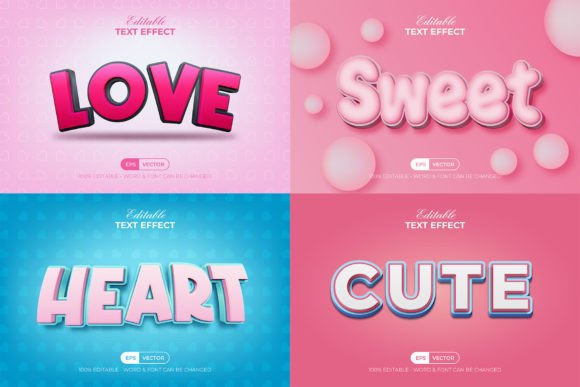
Sweet Pink Text Effect Bundle: A Practical Guide for Designers
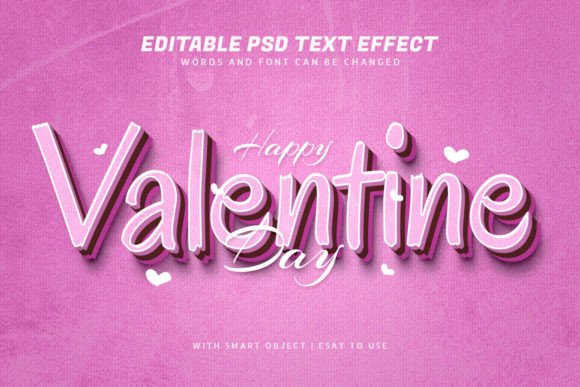
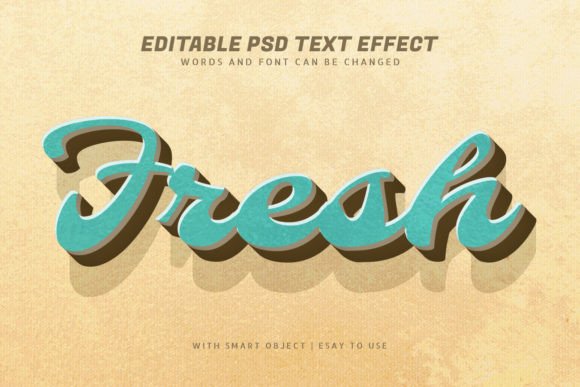
If you're looking to add a touch of elegance and vibrancy to your design projects, the Sweet Pink Text Effect Bundle might be just what you need. This set of Adobe Illustrator text effects is designed to bring a soft, feminine aesthetic to your work. Whether you're creating social media graphics, marketing materials, or personal projects, these effects can elevate your designs with ease.
What Is the Sweet Pink Text Effect Bundle?
The Sweet Pink Text Effect Bundle is a collection of graphic styles that can be applied directly within Adobe Illustrator. Unlike traditional fonts, these effects are not standalone typefaces but rather visual enhancements that can be added to any text or shape. Once applied, they transform your design elements into visually appealing compositions with minimal effort.
This bundle includes features such as easy editing, well-organized layers, and 100 editable text options. It uses RGB color, making it ideal for digital use, and incorporates free fonts to keep costs low. Additionally, it comes with a read-me file that guides users through the setup process, ensuring a smooth experience from start to finish.
Common Mistakes When Using the Sweet Pink Text Effect Bundle
While the Sweet Pink Text Effect Bundle is user-friendly, there are several common mistakes that users may encounter. One of the most frequent errors is not understanding the difference between a font and a text effect. Many users assume that this bundle includes actual fonts, which it does not. Instead, it offers visual effects that require existing text or shapes to function properly.
Another mistake is failing to check compatibility. The bundle is designed for Adobe Illustrator CC or above, so using it in an older version may result in missing features or errors. Users should verify their software version before downloading or purchasing the bundle.
Additionally, some users may overlook the importance of organizing layers. While the bundle comes with well-organized layers, improper management can lead to confusion, especially when editing multiple elements. Taking the time to understand the layer structure can save hours of frustration down the line.
How These Mistakes Can Affect Your Work
Misunderstanding the nature of the Sweet Pink Text Effect Bundle can lead to unmet expectations. For instance, if you download the bundle expecting to find ready-to-use fonts, you may be disappointed when you realize that the effects need to be applied to existing text. This can slow down your workflow and reduce efficiency.
Using the bundle on an incompatible version of Adobe Illustrator can also cause issues. You may find that certain effects do not render correctly, leading to poor-quality outputs. This can affect the overall quality of your work, especially if you're presenting it to clients or sharing it publicly.
Ignoring layer organization can complicate the editing process. Without a clear structure, it's easy to lose track of individual elements, making it difficult to make adjustments or troubleshoot problems. This can increase the time required to complete a project and reduce your satisfaction with the final result.
Practical Advice for Better Results
To get the most out of the Sweet Pink Text Effect Bundle, start by familiarizing yourself with its features. Take the time to read the included read-me file, which provides important information about installation, usage, and troubleshooting. This will help you avoid common pitfalls and ensure a smoother experience.
Before applying the effects, make sure your Adobe Illustrator is up to date. This ensures that all features are accessible and functioning as intended. If you're new to graphic styles, take a few minutes to explore how they work within the software. This will give you a better understanding of how to apply and customize the effects.
When working with the bundle, organize your layers carefully. Group related elements together and name them clearly. This makes it easier to navigate your project and make changes without disrupting other parts of the design. For example, if you're working on a poster with multiple text elements, separating each section into its own layer can help you edit them individually without affecting the rest of the layout.
What to Check Before Making a Decision
Before purchasing or downloading the Sweet Pink Text Effect Bundle, consider your specific needs. Ask yourself whether you already have the necessary tools and whether the bundle aligns with your design goals. If you're looking for a quick way to enhance your text, this bundle could be a valuable addition to your toolkit.
Also, evaluate the quality of the effects. While the bundle includes 100 editable text options, it's important to test them in different contexts to see how they perform. For example, if you're designing a logo, you may want to see how the effects look at various sizes and resolutions. This helps ensure that the final output meets your standards.
Finally, consider the support available. If you encounter issues while using the bundle, having access to customer support or online resources can make a big difference. Look for reviews or testimonials from other users to get a sense of the bundle's reliability and effectiveness.
Conclusion: Make Informed Choices With the Sweet Pink Text Effect Bundle
The Sweet Pink Text Effect Bundle offers a convenient and stylish way to enhance your Adobe Illustrator projects. By understanding its features, avoiding common mistakes, and following best practices, you can maximize its potential and achieve professional results. Whether you're a beginner or an experienced designer, this bundle can be a useful tool when used correctly.